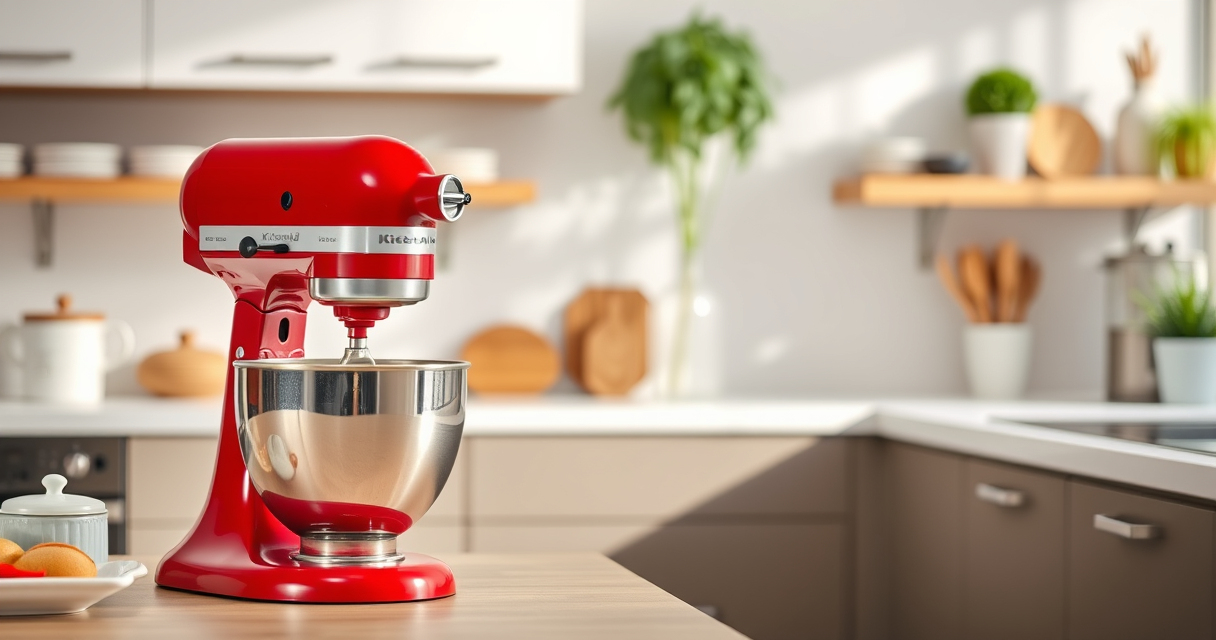

KitchenAid stand mixers are reliable kitchen companions, but like any appliance, they require regular care and occasional troubleshooting to keep them running smoothly. Proper maintenance ensures your mixer performs at its best, whether you’re kneading dough or whipping cream. This guide provides practical, step-by-step advice to help you troubleshoot common issues and care for your KitchenAid mixer effectively.

Get baking supplies delivered free with Prime
- Fast, free delivery on millions of items
- Prime Video, Amazon Music and more included
- Member-only deals all year
From cleaning tips to fixing minor problems, following these instructions will extend the life of your mixer and improve its performance. Before starting any maintenance, always unplug your appliance to ensure safety.
Key Takeaways
| Regular cleaning is essential | Keep your mixer clean to prevent buildup and ensure smooth operation. |
| Identify common issues early | Troubleshoot problems like overheating or unusual noises promptly. |
| Use correct attachments | Ensure attachments are properly fitted to prevent malfunctions. |
| Perform routine inspections | Check for worn parts or damage regularly. |
| Follow manufacturer instructions | Always adhere to the guidelines for safe, effective maintenance. |
Basic Cleaning and Maintenance
Proper cleaning is the foundation of good mixer care. After each use, detach attachments and wipe down the mixer body with a damp cloth. For the Stainless Steel Flat Beater (featured product), it is dishwasher safe, making cleanup quick and easy. Simply rinse it or place it in the dishwasher to remove any residual batter or dough.
Periodically, check the mixer’s beater shaft and attachment hub for debris or buildup. Use a soft brush or cloth to clean these parts to prevent slipping or poor attachment fit. Lubricate the attachment hub with a small amount of food-grade lubricant if it feels stiff, but only if recommended by the manufacturer. Avoid using harsh chemicals or abrasive scrubbers, as they can damage the finish.
Keep the mixer’s cord and plug clean and free of dust. Store in a dry place to prevent rust or electrical issues. Regularly inspect the power cord for frays or cuts and replace if necessary. Following these simple steps will ensure your mixer remains in top condition and ready for your next baking session.
Troubleshooting Common Problems
- Mixer Won’t Turn On: Check if the mixer is properly plugged in and the power outlet is functioning. Reset the circuit breaker if needed. Confirm that the speed control is engaged at a suitable setting.
- Unusual Noises During Operation: Ensure attachments are securely fitted. Check for debris or dough caught in the beater or gear housing. If noise persists, inspect the gear case for damage or wear.
- Overheating or Motor Stalls: Allow the mixer to cool down if it feels hot. Avoid overloading with very thick dough or excessive quantities. Use the correct attachment for heavy-duty tasks, like the Stainless Steel Flat Beater for thick mixtures.
- Attachment Slips or Won’t Attach Properly: Make sure the attachment hub is clean and the attachment is correctly aligned. Do not force attachments onto the hub, as this can cause damage.
- Leaking or Excessive Vibration: Verify that the attachment is properly seated and balanced. Check for cracks or damage in the beater or other components.
Replacing or Upgrading Components
If your mixer’s attachment or internal parts are worn out, replacement is straightforward. For example, the Stainless Steel Flat Beater (featured product, ASIN B0GWH5HGS6) is a heavy-duty replacement designed for 4.5-5 Qt tilt-head mixers, fitting models like K45SS, KSM75, and KSM150. It resists bending and chipping, making it ideal for thick batters and mashing.
When replacing the beater, unplug the mixer, remove the old attachment by pulling it straight off the hub, and align the new beater with the attachment hub. Push gently until it clicks into place. Regularly inspect the beater for signs of wear or damage, especially after heavy use. Upgrading to durable attachments like the stainless steel flat beater can improve performance and extend your mixer’s lifespan.
Tips for Safe and Effective Use
- Always unplug the mixer before cleaning or changing attachments.
- Do not overload the mixer—follow recommended quantities for different speeds.
- Use the correct attachment for each task to prevent damage and ensure best results.
- Keep attachments clean and dry to avoid rust or contamination.
- Store your mixer and attachments in a dry, safe place.
Following these safety tips will help prevent accidents and prolong the life of your KitchenAid mixer.
Recommended Accessories to Enhance Your Mixer
To maximize your KitchenAid mixer’s versatility, consider adding the KitchenAid Metal Food Grinder (ASIN B07GK7XKJK). It connects seamlessly to the power hub, allowing you to grind meats, vegetables, and more with ease. The included grinding plates and sausage stuffer tubes make it a valuable addition for home chefs looking to create fresh, customized foods.
This attachment is perfect for those who love making homemade sausages or processing ingredients for recipes. Its durable construction and organized storage case make it a reliable and convenient accessory to keep on hand.
Frequently Asked Questions
- Can I put my KitchenAid attachments in the dishwasher? Most attachments like the Stainless Steel Flat Beater are dishwasher safe. Hand wash and dry other attachments to prolong their lifespan.
- What should I do if my mixer stops working unexpectedly? Check the power connection, circuit breaker, and ensure the speed control is set. If the problem persists, inspect for internal damage or contact a service technician.
- How often should I clean my mixer? Clean after each use, especially the attachments and attachment hub. Perform a deeper clean monthly if used frequently.
- Is it safe to use the mixer when it’s overheating? No, allow it to cool down before resuming use. Overheating can damage the motor and internal parts.
- What are signs that my beater or attachment needs replacing? Look for cracks, bending, chipping, or excessive wear. If attachments do not fit properly or perform poorly, replace them promptly.
The Products in This Guide

Stainless Steel Flat Beater
- ✔ Weight: Approx. 1.2 lbs
- ✔ Cleaning: Dishwasher safe
- ✔ Color: Silver

KitchenAid Stand Mixer Attachment
- ✔ Weight: Approx. 4 lbs
- ✔ Dishwasher Safe: No
- ✔ Color: Silver
Stainless Steel Flat Beater
This Stainless Steel Flat Beater is engineered for durability and perfect fit for 4.5-5 Qt tilt-head KitchenAid mixers. It resists bending and flaking, making it ideal for thick doughs and mashing potatoes.
Pros:
- Heavy-duty construction
- Dishwasher safe
- Perfect fit for multiple models
- No paint chipping
- Long-lasting materials
Cons:
- May be heavier than plastic beaters
- Requires proper handling to avoid dents
- Not compatible with non-tilt-head models
Best for: Heavy-duty mixing, thick batters, mashing potatoes
Not ideal for: Light whipping tasks or small quantities
Bottom line: An essential heavy-duty beater for demanding baking and cooking needs.
KitchenAid Stand Mixer Attachment
The KitchenAid Metal Food Grinder attachment transforms your stand mixer into a versatile food processor, perfect for grinding meats, vegetables, and making sausages. Its durable metal construction ensures longevity and consistent results.
Pros:
- Flexible for various ingredients
- Includes multiple grinding plates
- Organized storage case
- Easy to attach and use
Cons:
- Requires pre-chilling ingredients
- Adds to storage space
- Separate purchase required
Best for: Grinding meats, vegetables, and making sausages
Not ideal for: Light mixing tasks or baking
Bottom line: Enhances your mixer’s functionality for fresh, homemade processed foods.
Frequently Asked Questions
Can I put attachments in the dishwasher?
Most attachments like the Stainless Steel Flat Beater are dishwasher safe. Hand wash other accessories to prolong their lifespan.
What should I do if my mixer stops working?
Check the power connection, circuit breaker, and ensure attachments are properly fitted. If issues persist, inspect for internal damage or contact a technician.
How often should I clean my mixer?
Clean after each use to prevent buildup. Perform a thorough clean monthly if used frequently.
Is it safe to use the mixer if it overheats?
No, turn off and unplug the mixer to allow it to cool down before resuming use.
When should I replace my attachments?
Replace when you notice cracks, chips, or poor fit, or if performance declines despite proper cleaning and maintenance.
Keep Your KitchenAid Running Smoothly
Maintaining your KitchenAid stand mixer is straightforward with regular cleaning and prompt troubleshooting. Using the right attachments, like the durable Stainless Steel Flat Beater, ensures you get the best results every time. With proper care, your mixer will remain a reliable kitchen partner for years to come.
Remember to follow safety guidelines and use recommended accessories to maximize performance and safety. Happy baking!
Affiliate disclosure: As an Amazon Associate we earn from qualifying purchases. Prices and availability are accurate as of the time of publishing.
Fall Picks
fall essentials
As an affiliate, we earn on qualifying purchases.