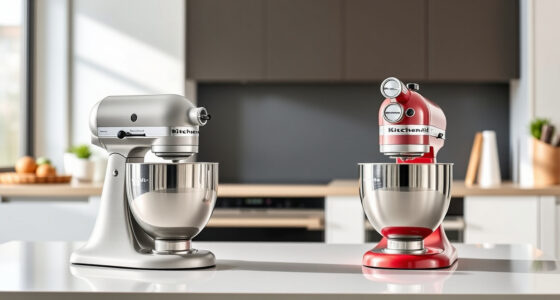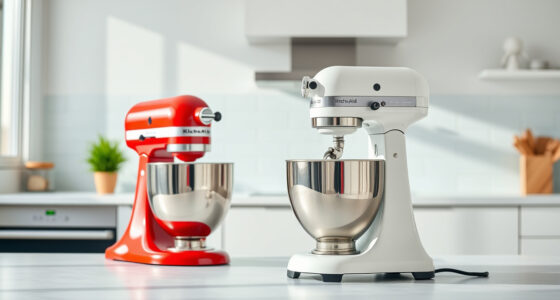

If your KitchenAid Artisan Series 5 Quart Tilt Head Stand Mixer is making a persistent grinding noise, it can be both distracting and worrying. This issue often indicates a mechanical problem that, if addressed promptly, can be fixed with basic troubleshooting steps. In this guide, we’ll walk you through the essential steps to diagnose and resolve the grinding noise safely, ensuring your mixer performs optimally again.

Get baking supplies delivered free with Prime
- Fast, free delivery on millions of items
- Prime Video, Amazon Music and more included
- Member-only deals all year
Understanding the common causes and following a systematic approach will help you avoid costly repairs or replacements. Remember to always unplug your mixer before attempting any maintenance or troubleshooting procedures.
Key Takeaways
| Identify the noise source | Determine whether the grinding sound comes from the gear, motor, or attachment. |
| Check for obstructions | Remove any debris or stuck ingredients that may cause grinding. |
| Inspect the gear and drive assembly | Look for wear, damage, or misalignment in the gear system. |
| Lubricate or replace worn parts | Apply food-grade lubricant or replace damaged gears as needed. |
| Test the mixer after repair | Ensure the grinding noise is resolved before regular use. |
Unplug and Access the Internal Components
- Ensure your mixer is unplugged from the power outlet to avoid any electrical hazards.
- Remove the attachment (flat beater, dough hook, or wire whip) from the mixer.
- Use a screwdriver to remove the tilt-head locking pin and tilt the head back carefully.
- Locate the gear housing at the rear of the mixer, which houses the gears responsible for power transmission.
- Gently remove the cover to expose the internal gear assembly.
Accessing the internal parts is crucial for inspecting the gear mechanism and identifying potential causes of the grinding noise.
Inspect and Clean the Gear and Drive System
- Carefully examine the gears for signs of wear, cracks, or damage. If any gear teeth are chipped or broken, replacement is necessary.
- Check for debris, dried food, or stuck particles that may cause obstruction or uneven movement.
- Clean all accessible parts with a soft cloth or brush. Avoid using water or harsh chemicals.
- If the gears are dirty or sticky, apply a small amount of food-grade silicone lubricant to ensure smooth operation.
Proper cleaning and lubrication can often eliminate grinding sounds caused by debris or lack of lubrication.
Replace Worn or Damaged Gears
If visual inspection reveals damaged or worn gears, replacing them is essential for restoring quiet operation. Purchase genuine replacement gears compatible with your KitchenAid Artisan Series 5 Quart Tilt Head Stand Mixer.
Follow the manufacturer’s instructions for gear replacement or consult the user manual for detailed guidance. Carefully remove the damaged gear and install the new one, ensuring it meshes correctly with adjacent parts.
Reassemble the cover and secure all screws tightly. Reattach the tilt-head and test the mixer to verify the noise has ceased.
Check the Motor and Drive Belt
If the grinding persists after gear inspection, consider examining the motor and drive belt. Unplug your mixer and remove the base cover to access these components.
Inspect the drive belt for cracks, fraying, or slack; replace if necessary. Also, listen for unusual motor humming or overheating, which could indicate motor issues.
Ensure all components are correctly aligned and securely fastened before reassembling. If the motor or belt shows signs of significant damage, professional repair or replacement may be required.
Reassemble and Test Your Mixer
- Once all parts are inspected, cleaned, or replaced, reassemble the gear housing and cover securely.
- Reattach the tilt-head lock and ensure it locks into place properly.
- Reinstall the attachment and plug in the mixer.
- Turn the mixer on at low speed to check if the grinding noise is gone.
- Gradually increase the speed to ensure smooth operation and listen for any abnormal sounds.
If the grinding noise persists, revisit the previous steps or consult a professional technician for further diagnosis.
The Products in This Guide

KitchenAid Artisan Series 5 Quart Tilt Head Stand Mixer
- ✔ Size: 14.1 x 8.7 x 14 inches
- ✔ Warranty: 1 year limited
- ✔ Included accessories: Pouring shield, flat beater, dough hook, wire whip

KitchenAid Stand Mixer Attachment
- ✔ Size: 10 x 8 x 6 inches
- ✔ Warranty: 1 year
- ✔ Included accessories: Grinding plates, sausage stuffer
KitchenAid Artisan Series 5 Quart Tilt Head Stand Mixer
The KitchenAid Artisan Series 5 Quart Tilt Head Stand Mixer is built with durable metal construction and features 59 touchpoints for superior mixing results. Its tilt-head design provides easy access, making maintenance straightforward. It’s suitable for small or large batches, powered by 10 speeds for versatile tasks.
Pros:
- Durable metal construction
- Wide range of colors
- Powerful 10-speed motor
- Large 5-quart bowl for big batches
Cons:
- Can be heavy to move
- Price may be high for some users
- Gears or motor issues require professional repair
Best for: Home bakers and cooking enthusiasts needing reliable performance
Not ideal for: Those looking for a lightweight, portable mixer
Bottom line: A durable, versatile mixer perfect for serious home bakers.
KitchenAid Stand Mixer Attachment
The KitchenAid Stand Mixer Attachment Food Grinder transforms your mixer into a powerful food processor capable of grinding fresh meat, vegetables, and more. Its durable metal construction and multiple grinding plates make it a valuable addition for home cooks who want to create custom ingredients quickly.
Pros:
- Sturdy metal build
- Multiple grinding plates
- Easy to attach/detach
- Large food tray
Cons:
- Requires separate purchase
- Can be noisy during operation
- Cleaning can be time-consuming
Best for: Making fresh ground meats, vegetables, and sausages
Not ideal for: Users not interested in grinding or processing foods
Bottom line: A robust attachment to expand your mixer’s capabilities.
Frequently Asked Questions
What causes a grinding noise in my KitchenAid mixer?
Common causes include worn gears, debris stuck in the gear assembly, lack of lubrication, or damaged drive belts. Proper inspection and maintenance can often resolve the issue.
Can I fix the grinding noise myself?
Yes, if you are comfortable with small appliance repairs. Always unplug the mixer before opening it, and follow safety precautions. Replace worn gears or clean components as needed.
When should I replace gears or other parts?
Replace gears if they show visible damage, cracks, or excessive wear. If the noise persists after cleaning and lubrication, parts may need replacement.
Is it safe to lubricate the gears?
Yes, but only with food-grade silicone lubricant. Avoid using petroleum-based oils, which can be harmful and unsuitable for food contact surfaces.
Should I contact professional repair services?
If you’re unsure about repairs or if the mixer has motor or internal component damage, consulting a professional is recommended to avoid further damage.
Keep Your KitchenAid Running Smoothly
Regular maintenance and prompt troubleshooting can extend the life of your KitchenAid stand mixer. By inspecting the gears, cleaning internal parts, and replacing worn components, you can eliminate grinding noises and enjoy quiet, efficient operation. Always prioritize safety and consider professional help for complex repairs to ensure your mixer remains in top condition for years to come.
Affiliate disclosure: As an Amazon Associate we earn from qualifying purchases. Prices and availability are accurate as of the time of publishing.
Halloween Picks
halloween
As an affiliate, we earn on qualifying purchases.