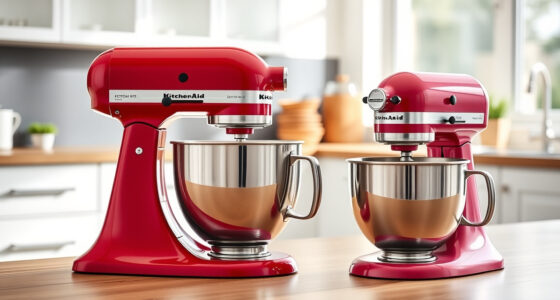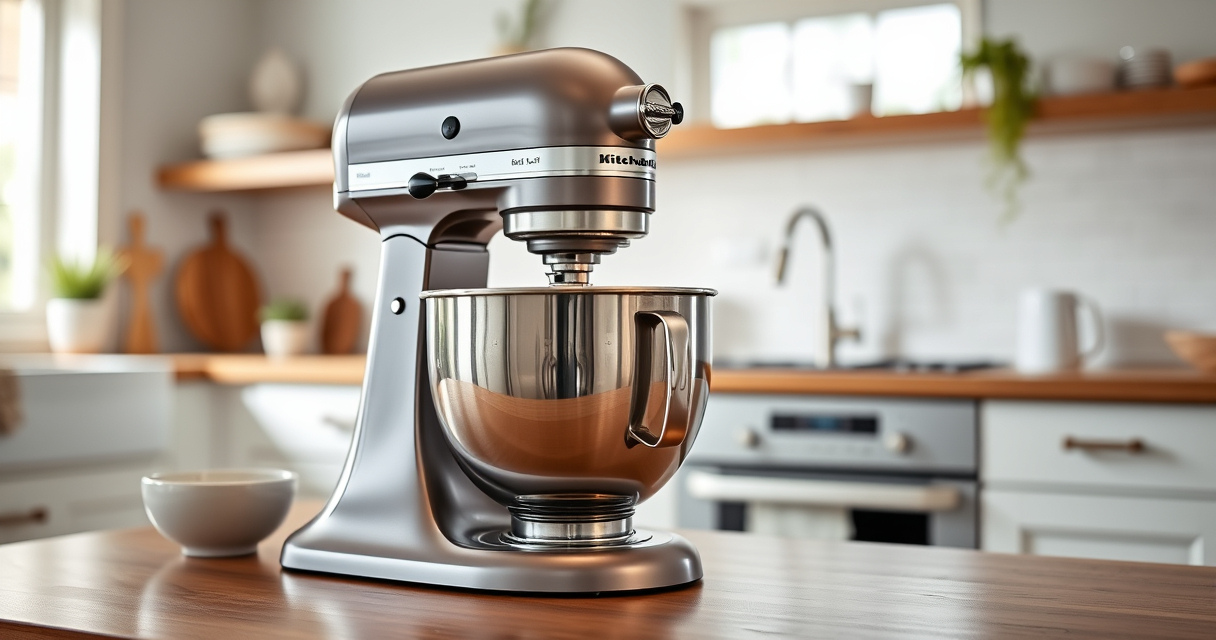

The KitchenAid Artisan Series 5 Quart Tilt Head Stand Mixer is a versatile kitchen essential, known for its durability and performance. Proper maintenance ensures it continues to deliver excellent mixing results and prolongs its lifespan. This guide walks you through routine cleaning, troubleshooting common issues, and tips for optimal performance.

Get baking supplies delivered free with Prime
- Fast, free delivery on millions of items
- Prime Video, Amazon Music and more included
- Member-only deals all year
Whether you’re a seasoned baker or a casual user, understanding how to care for your mixer safely and effectively will save you time and prevent costly repairs. Let’s explore the key maintenance steps and troubleshooting tips to keep your KitchenAid mixer in top shape.
Key Takeaways
| Routine Cleaning | Regular cleaning of the bowl, beaters, and exterior keeps your mixer hygienic. |
| Lubrication & Checks | Periodic lubrication of moving parts prevents wear and tear. |
| Troubleshooting Common Issues | Address motor or attachment problems promptly to avoid damage. |
| Proper Storage & Usage | Store in a dry place and avoid overloading to extend lifespan. |
| Accessory Maintenance | Clean and inspect attachments regularly for optimal performance. |
Routine Cleaning and Basic Maintenance
- Unplug your mixer before cleaning to ensure safety.
- Detach the flat beater, dough hook, and wire whip. Wash these parts in warm, soapy water or in the dishwasher (if dishwasher safe). Rinse thoroughly and dry completely before reattaching.
- Clean the stainless steel bowl with a soft cloth and mild detergent. For stubborn stains, use a non-abrasive cleaner.
- Wipe down the exterior of the mixer with a damp cloth. Avoid harsh chemicals that could damage the finish.
- Check the pouring shield and attachments for any buildup or residue, cleaning as needed.
Routine cleaning prevents buildup of ingredients and keeps your mixer hygienic. Regularly inspecting and cleaning attachments and the bowl is essential for consistent mixing results.
Lubrication and Mechanical Checks
While the KitchenAid Artisan Series is designed for durability, some internal parts benefit from periodic lubrication. Refer to the user manual for specific instructions regarding internal greasing or servicing.
Inspect the tilt-head locking mechanism to ensure it locks securely without excessive play. Check the power cord for any damage or fraying. If you notice issues with the motor or unusual noises, seek professional servicing.
Applying a food-safe lubricant to the head hinge (if recommended) can prevent squeaking and ensure smooth tilting. Perform these checks every 6-12 months depending on usage frequency.
Troubleshooting Common Problems
- Mixer Won’t Turn On: Check the power cord, outlet, and safety lock. Ensure the tilt-head is securely locked in place.
- Uneven Mixing or Poor Results: Ensure attachments are correctly installed and not worn out. Adjust speed settings as needed.
- Unusual Noises or Vibrations: Inspect for loose attachments or debris inside the mixer. If noises persist, consult a technician.
- Motor Overheating: Avoid overloading the bowl with large batches. Turn off and let the mixer cool down before resuming.
Addressing these issues promptly can prevent further damage and keep your mixer functioning smoothly.
Proper Storage and Usage Tips
Store your KitchenAid mixer in a dry, dust-free environment. Cover it with a cloth or dust cover when not in use to prevent dirt accumulation.
Avoid overloading the bowl or using excessive speed settings for prolonged periods, which can strain the motor. Use the appropriate attachment for each task, and clean attachments after each use.
Ensure the mixer is on a stable surface to prevent vibrations or accidental falls. Regularly check for loose parts or screws and tighten if necessary.
Maintaining Attachments for Long-Term Use
Attachments like the flat beater, wire whip, or dough hook should be cleaned immediately after use to prevent ingredient buildup. Wipe with a damp cloth or wash with warm, soapy water, then dry thoroughly.
Inspect attachments periodically for signs of wear or damage. Replace any that are bent, cracked, or worn out to avoid compromising performance.
If you use specialized attachments, like the pasta roller or food grinder, follow the cleaning instructions provided with those accessories to ensure longevity and optimal performance.
The Products in This Guide

KitchenAid Artisan Series 5 Quart Tilt Head Stand Mixer
- ✔ Dimensions: 14.3 x 8.7 x 14.3 inches
- ✔ Weight: 26 pounds
- ✔ Voltage: 120V

KitchenAid Stand Mixer Attachment
- ✔ Weight: 5 pounds
- ✔ Dimensions: 10 x 6 x 6 inches
- ✔ Warranty: 1 year
KitchenAid Artisan Series 5 Quart Tilt Head Stand Mixer
The KitchenAid Artisan Series 5 Quart Tilt Head Stand Mixer is built with durable metal construction and features 59 touchpoints for thorough mixing. Its tilt-head design allows easy access to the bowl, making it simple to add ingredients and clean up. With 10 speeds, it handles a variety of tasks from gentle stirring to whipping at high speed. Its 5-quart stainless steel bowl is perfect for small or large batches, and dishwasher-safe for easy cleaning.
Pros:
- Durable metal construction
- Multiple speed settings
- Easy tilt-head access
- Large capacity bowl
Cons:
- Can be heavy to move
- Requires regular cleaning
- May be noisy at high speeds
Best for: Bakers and cooking enthusiasts needing a reliable, versatile mixer
Not ideal for: Light-duty tasks or infrequent use
Bottom line: A durable, versatile mixer ideal for home bakers and cooks.
KitchenAid Stand Mixer Attachment
The KitchenAid Stand Mixer Food Grinder attachment expands your mixer’s capabilities, allowing you to grind meat, vegetables, and nuts with ease. Its metal construction and included grinding plates ensure consistent results, and the larger tray speeds up food prep. It’s a reliable accessory for homemade sausages, burger patties, and more, making it a valuable addition for serious home cooks.
Pros:
- Sturdy metal build
- Multiple grinding plates
- Large food tray
- Easy to attach/detach
Cons:
- Requires refrigerator chilling for best results
- Additional storage needed
- Limited to grinding functions
Best for: Homemade ground meats, vegetables, and nuts
Not ideal for: For users not interested in grinding or processing food
Bottom line: A robust accessory for fresh, homemade ground foods.
Frequently Asked Questions
How often should I clean my KitchenAid mixer?
It’s recommended to clean the attachments and bowl after each use. Perform a deeper clean and inspect the mixer every few months.
Can I use my KitchenAid mixer for heavy doughs?
Yes, the mixer can handle dense doughs like bread or pizza dough, but avoid overloading the bowl and give it breaks to prevent motor strain.
What should I do if my mixer isn’t turning on?
Check the power cord, outlet, and safety lock position. If issues persist, inspect for internal damage or seek professional repair.
How do I troubleshoot uneven mixing?
Ensure attachments are properly installed and not worn out. Adjust the speed and check for obstructions inside the bowl.
Can I replace the motor if it fails?
Motor replacement is best handled by a professional technician or authorized service center to ensure safety and proper functioning.
Keep Your KitchenAid Mixer Running Like New
Consistent maintenance and timely troubleshooting are key to extending the life of your KitchenAid Artisan Series stand mixer. Regular cleaning, careful handling, and understanding common issues will help you enjoy trouble-free baking and cooking for years to come. Follow these steps and tips to keep your mixer in top shape, ensuring it continues to be a reliable kitchen companion.
Affiliate disclosure: As an Amazon Associate we earn from qualifying purchases. Prices and availability are accurate as of the time of publishing.
Halloween Picks
halloween
As an affiliate, we earn on qualifying purchases.